"/><stop offset="1" stop-color="rgb(255, 100, 165)"/></linearGradient></defs><g d="M 0 0 L 60 0 L 60 60 L 0 60 Z M 9 60 C 4.029 60 0 55.971 0 51 L 0 9 C 0 4.029 4.029 0 9 0 L 51 0 C 55.971 0 60 4.029 60 9 L 60 51 C 60 55.971 55.971 60 51 60 Z M 42.974 11.215 C 43.145 11.215 43.331 11.198 43.535 11.164 C 43.773 11.096 44.011 10.942 44.249 10.704 C 44.385 10.568 44.538 10.5 44.708 10.5 C 44.98 10.5 45.184 10.653 45.319 10.959 L 49.347 18.412 C 49.449 18.616 49.5 18.77 49.5 18.872 C 49.5 19.144 49.364 19.348 49.092 19.484 L 46.951 20.658 C 46.747 20.76 46.577 20.811 46.441 20.811 C 46.237 20.811 46.05 20.658 45.88 20.352 L 45.727 20.046 C 44.878 18.344 43.654 17.136 42.057 16.422 C 40.46 15.707 38.624 15.349 36.551 15.349 L 34.053 15.349 L 34.053 41.588 C 34.053 42.949 34.308 44.106 34.818 45.059 C 35.327 45.978 36.228 46.437 37.519 46.437 L 37.876 46.437 C 38.386 46.437 38.641 46.692 38.641 47.203 L 38.641 48.734 C 38.641 49.245 38.386 49.5 37.876 49.5 L 22.174 49.5 C 21.664 49.5 21.41 49.245 21.41 48.734 L 21.41 47.203 C 21.41 46.692 21.665 46.437 22.175 46.437 L 22.481 46.437 C 23.772 46.437 24.673 45.978 25.182 45.059 C 25.692 44.106 25.947 42.949 25.947 41.588 L 25.947 15.349 L 23.449 15.349 C 21.376 15.349 19.541 15.707 17.943 16.421 C 16.346 17.136 15.122 18.344 14.273 20.046 L 14.12 20.352 C 13.95 20.658 13.763 20.812 13.559 20.812 C 13.423 20.812 13.253 20.761 13.049 20.659 L 10.908 19.484 C 10.636 19.348 10.5 19.144 10.5 18.872 C 10.5 18.77 10.551 18.616 10.653 18.412 L 14.68 10.959 C 14.85 10.653 15.054 10.5 15.292 10.5 C 15.462 10.5 15.615 10.568 15.751 10.704 C 15.989 10.943 16.21 11.096 16.414 11.164 C 16.651 11.197 16.855 11.215 17.026 11.215 Z" fill="transparent" height="60px" id="wnIU_RgRP" width="60px"><path d="M 0 0 L 60 0 L 60 60 L 0 60 Z" fill="transparent" height="60px" id="g9vASv_I0" width="60px"/><path d="M 9 60 C 4.029 60 0 55.971 0 51 L 0 9 C 0 4.029 4.029 0 9 0 L 51 0 C 55.971 0 60 4.029 60 9 L 60 51 C 60 55.971 55.971 60 51 60 Z" fill="rgb(254, 254, 254)" height="60px" id="Zi9UWh_Wu" width="60px"/><g d="M 32.474 0.715 C 32.645 0.715 32.831 0.698 33.035 0.664 C 33.273 0.596 33.511 0.442 33.749 0.204 C 33.885 0.068 34.038 0 34.208 0 C 34.48 0 34.684 0.153 34.819 0.459 L 38.847 7.912 C 38.949 8.116 39 8.27 39 8.372 C 39 8.644 38.864 8.848 38.592 8.984 L 36.451 10.158 C 36.247 10.26 36.077 10.311 35.941 10.311 C 35.737 10.311 35.55 10.158 35.38 9.852 L 35.227 9.546 C 34.378 7.844 33.154 6.636 31.557 5.922 C 29.96 5.207 28.124 4.849 26.051 4.849 L 23.553 4.849 L 23.553 31.088 C 23.553 32.449 23.808 33.606 24.318 34.559 C 24.827 35.478 25.728 35.937 27.019 35.937 L 27.376 35.937 C 27.886 35.937 28.141 36.192 28.141 36.703 L 28.141 38.234 C 28.141 38.745 27.886 39 27.376 39 L 11.674 39 C 11.164 39 10.91 38.745 10.91 38.234 L 10.91 36.703 C 10.91 36.192 11.165 35.937 11.675 35.937 L 11.981 35.937 C 13.272 35.937 14.173 35.478 14.682 34.559 C 15.192 33.606 15.447 32.449 15.447 31.088 L 15.447 4.849 L 12.949 4.849 C 10.876 4.849 9.041 5.207 7.443 5.921 C 5.846 6.636 4.622 7.844 3.773 9.546 L 3.62 9.852 C 3.45 10.158 3.263 10.312 3.059 10.312 C 2.923 10.312 2.753 10.261 2.549 10.159 L 0.408 8.984 C 0.136 8.848 0 8.644 0 8.372 C 0 8.27 0.051 8.116 0.153 7.912 L 4.18 0.459 C 4.35 0.153 4.554 0 4.792 0 C 4.962 0 5.115 0.068 5.251 0.204 C 5.489 0.443 5.71 0.596 5.914 0.664 C 6.151 0.697 6.355 0.715 6.526 0.715 Z" fill="transparent" height="39px" id="sJZgEX_6w" transform="translate(10.5 10.5)" width="39px"><path d="M 32.474 0.715 C 32.645 0.715 32.831 0.698 33.035 0.664 C 33.273 0.596 33.511 0.442 33.749 0.204 C 33.885 0.068 34.038 0 34.208 0 C 34.48 0 34.684 0.153 34.819 0.459 L 38.847 7.912 C 38.949 8.116 39 8.27 39 8.372 C 39 8.644 38.864 8.848 38.592 8.984 L 36.451 10.158 C 36.247 10.26 36.077 10.311 35.941 10.311 C 35.737 10.311 35.55 10.158 35.38 9.852 L 35.227 9.546 C 34.378 7.844 33.154 6.636 31.557 5.922 C 29.96 5.207 28.124 4.849 26.051 4.849 L 23.553 4.849 L 23.553 31.088 C 23.553 32.449 23.808 33.606 24.318 34.559 C 24.827 35.478 25.728 35.937 27.019 35.937 L 27.376 35.937 C 27.886 35.937 28.141 36.192 28.141 36.703 L 28.141 38.234 C 28.141 38.745 27.886 39 27.376 39 L 11.674 39 C 11.164 39 10.91 38.745 10.91 38.234 L 10.91 36.703 C 10.91 36.192 11.165 35.937 11.675 35.937 L 11.981 35.937 C 13.272 35.937 14.173 35.478 14.682 34.559 C 15.192 33.606 15.447 32.449 15.447 31.088 L 15.447 4.849 L 12.949 4.849 C 10.876 4.849 9.041 5.207 7.443 5.921 C 5.846 6.636 4.622 7.844 3.773 9.546 L 3.62 9.852 C 3.45 10.158 3.263 10.312 3.059 10.312 C 2.923 10.312 2.753 10.261 2.549 10.159 L 0.408 8.984 C 0.136 8.848 0 8.644 0 8.372 C 0 8.27 0.051 8.116 0.153 7.912 L 4.18 0.459 C 4.35 0.153 4.554 0 4.792 0 C 4.962 0 5.115 0.068 5.251 0.204 C 5.489 0.443 5.71 0.596 5.914 0.664 C 6.151 0.697 6.355 0.715 6.526 0.715 Z" fill="url(%23KbpzL6PmD-1929859876-linear-gradient)" height="38.999999999999986px" id="KbpzL6PmD" width="39px"/></g></g></svg>)
"/><stop offset="1" stop-color="rgb(255, 100, 165)"/></linearGradient></defs><g d="M 42.974 11.215 C 43.145 11.215 43.331 11.198 43.535 11.164 C 43.773 11.096 44.011 10.942 44.249 10.704 C 44.385 10.568 44.538 10.5 44.708 10.5 C 44.98 10.5 45.184 10.653 45.319 10.959 L 49.347 18.412 C 49.449 18.616 49.5 18.77 49.5 18.872 C 49.5 19.144 49.364 19.348 49.092 19.484 L 46.951 20.658 C 46.747 20.76 46.577 20.811 46.441 20.811 C 46.237 20.811 46.05 20.658 45.88 20.352 L 45.727 20.046 C 44.878 18.344 43.654 17.136 42.057 16.422 C 40.46 15.707 38.624 15.349 36.551 15.349 L 34.053 15.349 L 34.053 41.588 C 34.053 42.949 34.308 44.106 34.818 45.059 C 35.327 45.978 36.228 46.437 37.519 46.437 L 37.876 46.437 C 38.386 46.437 38.641 46.692 38.641 47.203 L 38.641 48.734 C 38.641 49.245 38.386 49.5 37.876 49.5 L 22.174 49.5 C 21.664 49.5 21.41 49.245 21.41 48.734 L 21.41 47.203 C 21.41 46.692 21.665 46.437 22.175 46.437 L 22.481 46.437 C 23.772 46.437 24.673 45.978 25.182 45.059 C 25.692 44.106 25.947 42.949 25.947 41.588 L 25.947 15.349 L 23.449 15.349 C 21.376 15.349 19.541 15.707 17.943 16.421 C 16.346 17.136 15.122 18.344 14.273 20.046 L 14.12 20.352 C 13.95 20.658 13.763 20.812 13.559 20.812 C 13.423 20.812 13.253 20.761 13.049 20.659 L 10.908 19.484 C 10.636 19.348 10.5 19.144 10.5 18.872 C 10.5 18.77 10.551 18.616 10.653 18.412 L 14.68 10.959 C 14.85 10.653 15.054 10.5 15.292 10.5 C 15.462 10.5 15.615 10.568 15.751 10.704 C 15.989 10.943 16.21 11.096 16.414 11.164 C 16.651 11.197 16.855 11.215 17.026 11.215 Z" fill="transparent" height="60px" id="ENy7giQS1" transform="translate(-9 -9)" width="60px"><path d="M 0 0 L 60 0 L 60 60 L 0 60 Z" display="none" fill="transparent" height="60px" id="ESka27RLq" width="60px"/><path d="M 9 60 C 4.029 60 0 55.971 0 51 L 0 9 C 0 4.029 4.029 0 9 0 L 51 0 C 55.971 0 60 4.029 60 9 L 60 51 C 60 55.971 55.971 60 51 60 Z" display="none" fill="rgb(254, 254, 254)" height="60px" id="GxreBo0Hb" width="60px"/><g d="M 32.474 0.715 C 32.645 0.715 32.831 0.698 33.035 0.664 C 33.273 0.596 33.511 0.442 33.749 0.204 C 33.885 0.068 34.038 0 34.208 0 C 34.48 0 34.684 0.153 34.819 0.459 L 38.847 7.912 C 38.949 8.116 39 8.27 39 8.372 C 39 8.644 38.864 8.848 38.592 8.984 L 36.451 10.158 C 36.247 10.26 36.077 10.311 35.941 10.311 C 35.737 10.311 35.55 10.158 35.38 9.852 L 35.227 9.546 C 34.378 7.844 33.154 6.636 31.557 5.922 C 29.96 5.207 28.124 4.849 26.051 4.849 L 23.553 4.849 L 23.553 31.088 C 23.553 32.449 23.808 33.606 24.318 34.559 C 24.827 35.478 25.728 35.937 27.019 35.937 L 27.376 35.937 C 27.886 35.937 28.141 36.192 28.141 36.703 L 28.141 38.234 C 28.141 38.745 27.886 39 27.376 39 L 11.674 39 C 11.164 39 10.91 38.745 10.91 38.234 L 10.91 36.703 C 10.91 36.192 11.165 35.937 11.675 35.937 L 11.981 35.937 C 13.272 35.937 14.173 35.478 14.682 34.559 C 15.192 33.606 15.447 32.449 15.447 31.088 L 15.447 4.849 L 12.949 4.849 C 10.876 4.849 9.041 5.207 7.443 5.921 C 5.846 6.636 4.622 7.844 3.773 9.546 L 3.62 9.852 C 3.45 10.158 3.263 10.312 3.059 10.312 C 2.923 10.312 2.753 10.261 2.549 10.159 L 0.408 8.984 C 0.136 8.848 0 8.644 0 8.372 C 0 8.27 0.051 8.116 0.153 7.912 L 4.18 0.459 C 4.35 0.153 4.554 0 4.792 0 C 4.962 0 5.115 0.068 5.251 0.204 C 5.489 0.443 5.71 0.596 5.914 0.664 C 6.151 0.697 6.355 0.715 6.526 0.715 Z" fill="transparent" height="39px" id="ZZtf7bnpg" transform="translate(10.5 10.5)" width="39px"><path d="M 32.474 0.715 C 32.645 0.715 32.831 0.698 33.035 0.664 C 33.273 0.596 33.511 0.442 33.749 0.204 C 33.885 0.068 34.038 0 34.208 0 C 34.48 0 34.684 0.153 34.819 0.459 L 38.847 7.912 C 38.949 8.116 39 8.27 39 8.372 C 39 8.644 38.864 8.848 38.592 8.984 L 36.451 10.158 C 36.247 10.26 36.077 10.311 35.941 10.311 C 35.737 10.311 35.55 10.158 35.38 9.852 L 35.227 9.546 C 34.378 7.844 33.154 6.636 31.557 5.922 C 29.96 5.207 28.124 4.849 26.051 4.849 L 23.553 4.849 L 23.553 31.088 C 23.553 32.449 23.808 33.606 24.318 34.559 C 24.827 35.478 25.728 35.937 27.019 35.937 L 27.376 35.937 C 27.886 35.937 28.141 36.192 28.141 36.703 L 28.141 38.234 C 28.141 38.745 27.886 39 27.376 39 L 11.674 39 C 11.164 39 10.91 38.745 10.91 38.234 L 10.91 36.703 C 10.91 36.192 11.165 35.937 11.675 35.937 L 11.981 35.937 C 13.272 35.937 14.173 35.478 14.682 34.559 C 15.192 33.606 15.447 32.449 15.447 31.088 L 15.447 4.849 L 12.949 4.849 C 10.876 4.849 9.041 5.207 7.443 5.921 C 5.846 6.636 4.622 7.844 3.773 9.546 L 3.62 9.852 C 3.45 10.158 3.263 10.312 3.059 10.312 C 2.923 10.312 2.753 10.261 2.549 10.159 L 0.408 8.984 C 0.136 8.848 0 8.644 0 8.372 C 0 8.27 0.051 8.116 0.153 7.912 L 4.18 0.459 C 4.35 0.153 4.554 0 4.792 0 C 4.962 0 5.115 0.068 5.251 0.204 C 5.489 0.443 5.71 0.596 5.914 0.664 C 6.151 0.697 6.355 0.715 6.526 0.715 Z" fill="url(%23r4oRpS1Kd-703919304-linear-gradient)" height="38.999999999999986px" id="r4oRpS1Kd" width="39px"/></g></g></svg>)
Video Feedback Tools Compared: Which Design Feedback Tools Actually Get Used
Compare video feedback tools for agencies, freelancers, and product teams. Find tools that let clients record responses without creating accounts.


Jon Sorrentino
Talki Co-Founder
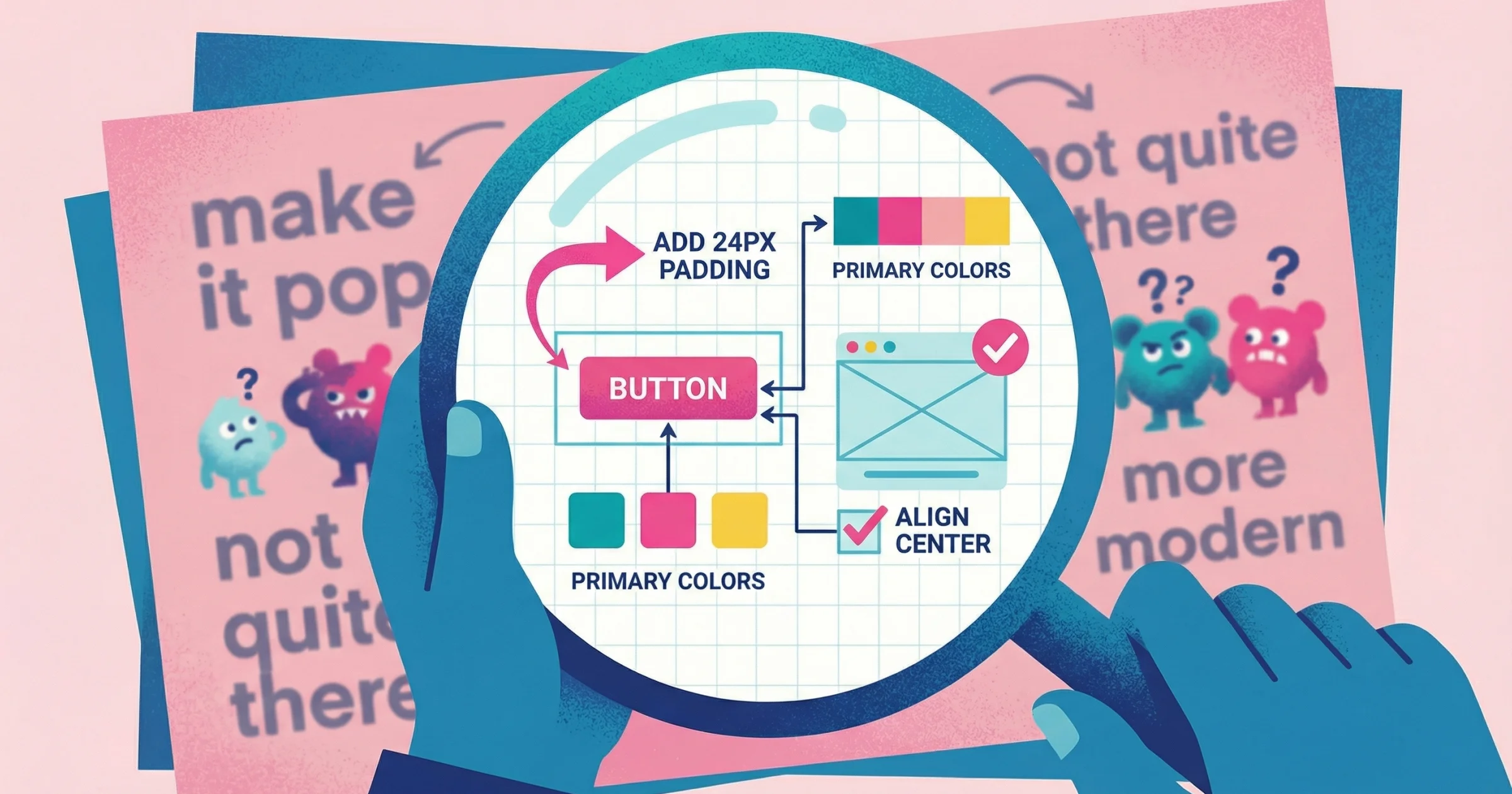
"Can you make the header more impactful?"
You've been here. A client sends feedback that technically contains words, but tells you nothing actionable. You schedule a call to clarify. Thirty minutes later, they finally point at their screen and say, "I mean this part right here." Problem solved in 10 seconds.
That's the case for video feedback. When someone can show you what they're talking about—point at it, circle it, explain while you watch—you skip the interpretation guessing game.
This guide compares video feedback tools based on one critical factor: how much friction they create for the person giving feedback. Because the best tool is useless if your clients won't use it.
What Makes a Video Feedback Tool Work
Most video tools are built for sending, not collecting. They assume you're the one recording and sharing. That works for demos and tutorials. It doesn't work when you need feedback from someone else—a client, a user, a stakeholder.
When you flip the direction (collecting instead of sending), friction becomes the deciding factor.
The Real Cost of User Friction
Research shows that 72% of users abandon apps during onboarding if it requires too many steps. That's not just a statistic—it's your clients giving up before they even start recording.
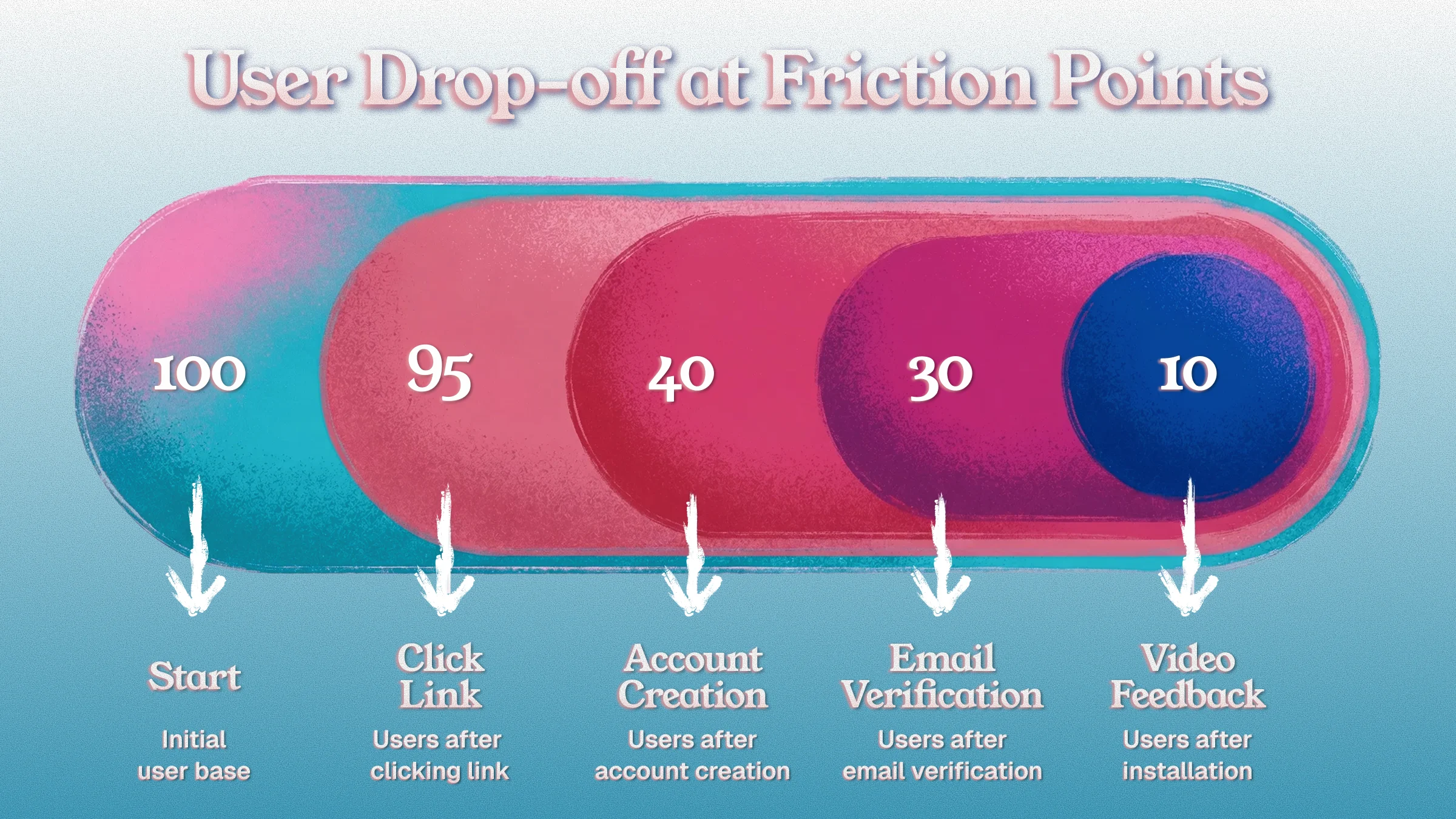
Every friction point loses respondents:
Friction Step | Approximate Drop-off | Research Finding |
|---|---|---|
Click a link | ~5% | Baseline conversion |
Create an account | ~50-60% | Account creation is the #1 barrier |
Verify email | ~20% additional | 5-20% never complete verification |
Install software | ~70%+ | Installation kills most attempts |
Figure out recording interface | ~30% | Complex UI drives abandonment |
Here's what the data tells us:
One-click social login boosts signup completion by 60% compared to traditional email/password flows
Each additional form field reduces completion rates by 5-7%
75% of new users abandon a product within one week due to poor onboarding
A tool that requires account creation and installation might have great features—but your clients won't use it. The math doesn't work.
The best video feedback tools:
Require nothing from the respondent (no account, no install)
Open in browser, ready to record
Capture screen, audio, and optionally webcam
Deliver the video to you without extra steps
Understanding the Video Feedback Landscape
Before diving into specific tools, it helps to understand three related product categories:
Video Messaging Tools: Enable quick asynchronous communications as an alternative to meetings. You record, share a link, they watch. Use cases: team updates, sales outreach, support explanations. Examples: Loom, Vidyard, Berrycast.
Screen Recording Software: General-purpose tools to record your screen for creating content. Use cases: tutorials, demos, marketing videos, course creation. Examples: Camtasia, OBS Studio, Screen Studio (Mac-only app for polished screencasts).
Video Feedback Collection Platforms: Purpose-built to collect and centralize feedback via video from users, clients, or team members. These let respondents easily record their screen or webcam without complex setup. Examples: Talki, VideoAsk, UserTesting, Maze. This is the category we're focusing on.
For a complete breakdown of how these categories compare, see our guide on feedback collection tools.
Why Video Feedback Beats Written Feedback
Multiple studies have examined video versus traditional written feedback. The findings consistently highlight video's advantages:
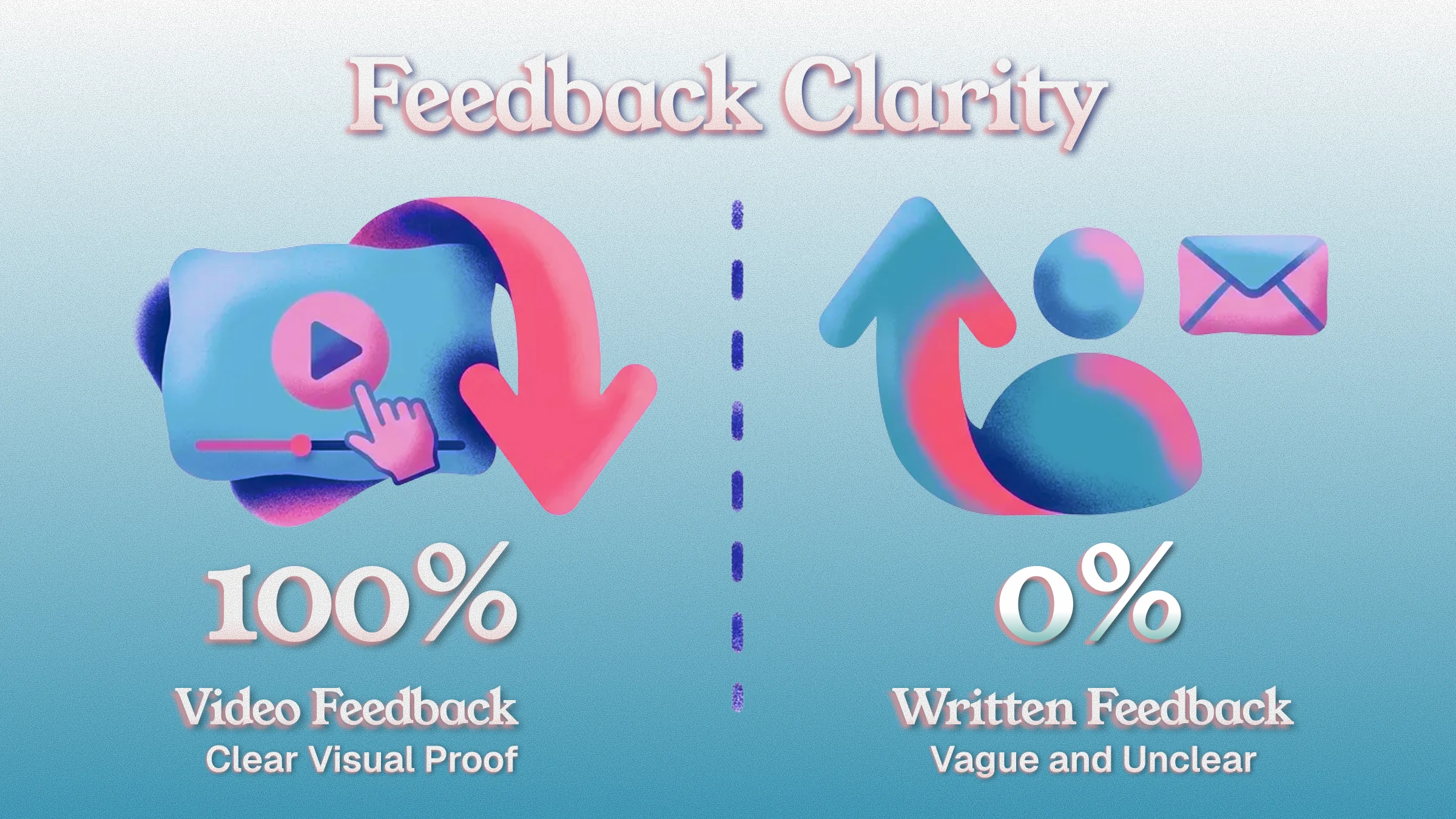
Clarity & Detail: Video allows the communicator to show and tell, reducing ambiguity. In educational contexts, video feedback was rated significantly clearer, more detailed, and more useful than written feedback. Viewers can hear tone of voice and see on-screen context, making the message less likely to be misunderstood.
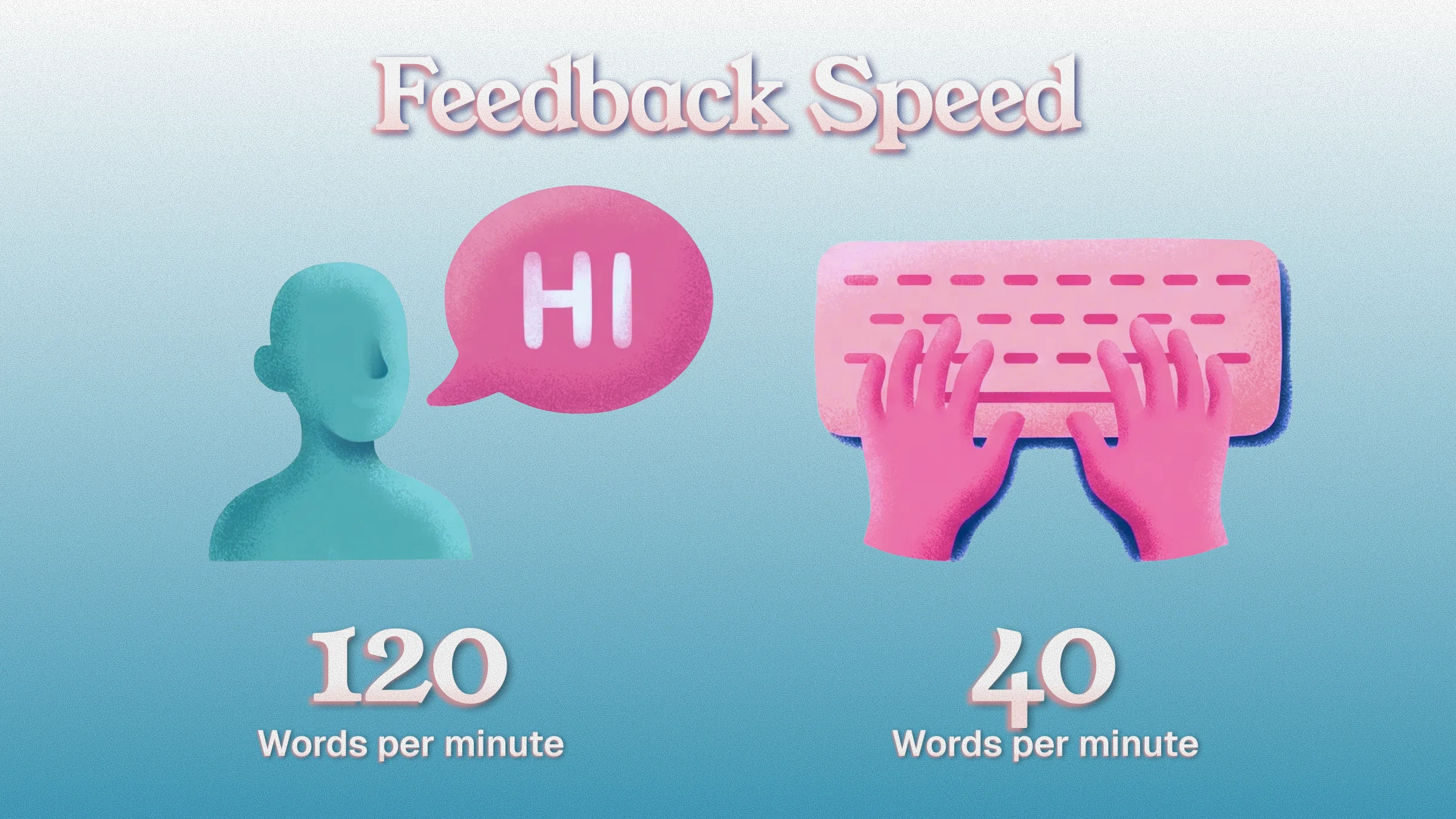
Speed of Communication: Speaking is faster than typing—most people talk 120-150 words per minute versus typing 40 words per minute. This means a reviewer can cover more in a one-minute video than in a written paragraph. A quick video can get the message across faster and more directly than lengthy written descriptions.
Personal Connection: Seeing someone's face or hearing their voice adds a human touch. Recipients often perceive video feedback as more personal and caring than text, which can come across as dry. Body language and facial cues can soften critiques or convey enthusiasm.
User Satisfaction: Because of these factors, feedback delivered via video is often better received. Research found that video feedback was the most positively received format, outranking plain written comments in user preference.
For design feedback, this is especially powerful. Instead of "make it more impactful," you get "see how this headline gets lost against the background—maybe try increasing the contrast here" while they literally point at the specific element.
For more on why written feedback creates these problems, read why written comments fail and what to use instead.
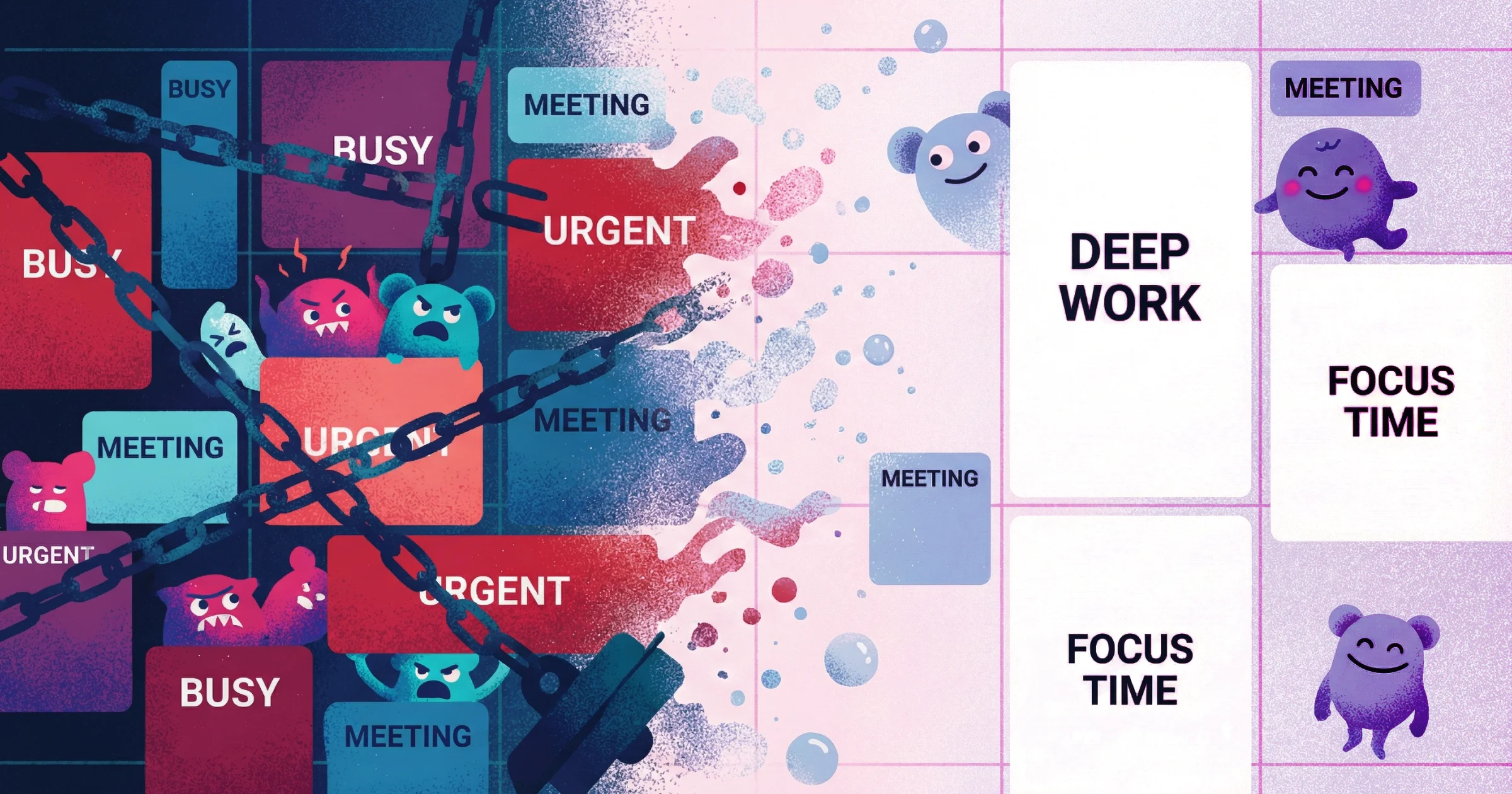
Video Feedback vs. Endless Meetings
Live meetings have long been the default for feedback discussions, but they come with heavy time costs:
The Meeting Problem:
Employees spend an average of 35 hours per month in meetings
65% admit to daydreaming during meetings
Only 45% of meetings are considered productive
82% of workers have attended a meeting that "could have been an email"
Inefficient meetings cost the U.S. economy $532 billion annually in lost productivity
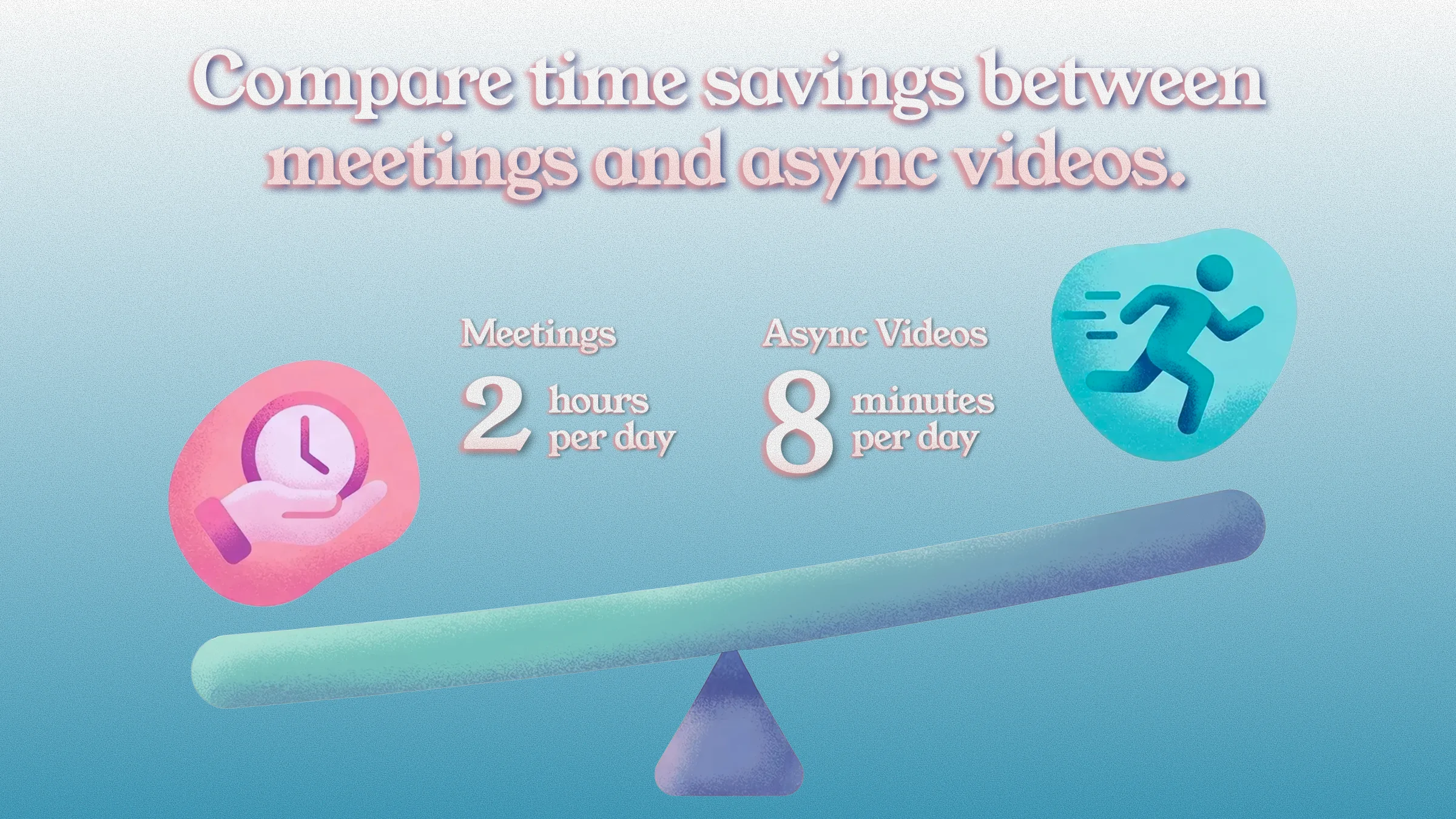
The Async Advantage: Companies with strong async practices were 55% more likely to report higher productivity than those without. When you replace a 30-minute "can you clarify this feedback" meeting with a 2-minute video that shows exactly what someone means, you save 28 minutes—multiplied across every feedback cycle.
For design feedback tools specifically, this means:
No scheduling delays waiting for calendars to align
Reviewers can give thoughtful feedback at their convenience
You can review feedback when you're ready to implement
Written record of visual issues with full context
The key: using async video for most feedback loops, reserving meetings only for complex discussions or brainstorming sessions.
Video Feedback Tools Compared
Tools Built for Collecting Feedback
Talki
Friction for respondents: None—click link, record, done
Price: Free tier available
Focus: Design feedback tools, UX design feedback, website design feedback
Talki is built specifically for the collection use case. You send a link. Your client clicks it, records their screen while talking, and you get the video. No account required on their end. No software to install. No learning curve.
The workflow is optimized for many-to-one: you're collecting feedback from multiple clients, users, or stakeholders who each respond once. They don't need to remember a login or figure out a new tool.
Best for: Agencies collecting client feedback on designs, product teams gathering user testing videos, consultants who need clients to show problems instead of describe them, collecting website design feedback without scheduling calls.
Limitations: Focused specifically on feedback collection—not a full screen recording suite for creating polished content.
VideoAsk
Friction for respondents: Low. no account needed for basic responses
Price: Starts ~$24/month
VideoAsk presents a video question from you, then lets the respondent reply with video, audio, or text. The conversational format works well for structured feedback or async interviews. It can branch based on answers.
Best for: Structured feedback flows where you have specific questions. Customer research and testimonials. Collecting testimonial videos.
Limitations: The per-response pricing can add up for high-volume use. More complex setup than a simple "send link, get video" flow.
Marker.io
Friction for respondents: Medium—requires browser extension for full features
Price: From $39/month
Marker.io focuses on visual bug reporting and website feedback. Reviewers can annotate directly on live websites and record video of issues. It integrates with project management tools to create tickets automatically.
Best for: Design and development teams collecting feedback on staging sites or live products. Website design feedback with annotations.
Limitations: Requires installation for full features. Positioned more for bug reporting than general design feedback.
Jam.dev
Friction for respondents: Low—simple recording link, no login required for reporters
Price: Free tier (up to 30 Jams/month, 5 recording links), Team plan $14/creator/month (up to 15 users)
Focus: Bug/issue reporting with technical context
Jam lets teams capture bugs or feedback with one click, automatically including screenshots, console logs, and technical context. Reporters can use a Chrome extension or a simple recording link without needing an account to submit feedback.
Best for: QA testing, user bug reports, design feedback with technical data attached. Eliminates back-and-forth in reproducing issues.
Limitations: More focused on technical bug reporting than general design feedback collection. Team members doing heavy internal reporting will want the extension installed.
Maze
Friction for respondents: Low—link-based, no login needed for testers
Price: Free plan (1 active project/month), Starter at $99/month
Focus: User testing platforms, continuous product discovery
Maze is an all-in-one remote user testing and research platform. It generates a link for participants to complete unmoderated tests—no login needed. While historically focused on quantitative metrics, Maze now supports video feedback integration.
Best for: Quick design iteration feedback, A/B concept tests, usability tests at scale. Product designers validating prototypes rapidly.
Limitations: Video capabilities are newer; historically focused on click-path metrics and quantitative data rather than qualitative video feedback.
UserTesting
Friction for respondents: Low for participants (platform recruits from panel)
Price: Enterprise pricing (estimates start around $40k+/year)
Focus: Enterprise user research with on-demand participant panels
UserTesting provides a large panel of participants and tools to capture video-based user feedback with think-aloud usability sessions. Participants from their panel follow a link and record themselves (screen and webcam) completing test tasks.
Best for: Detailed UX evaluations, benchmarking user experience, getting qualitative insights on prototypes. Gold standard for high-touch user research with features like video highlight reels and sentiment analysis.
Limitations: Expensive. Designed for enterprises with significant research budgets. Not practical for agencies or solo consultants collecting client feedback.
Tools That Can Be Used for Feedback (But Aren't Built For It)
Loom
Friction for respondents: High—requires account + extension
Price: Free tier (5 min limit), paid from $12.50/month
Loom is the dominant async video tool, but it's built for sending, not collecting. If you want someone to reply with a video, they need their own Loom account and the browser extension. For one-off feedback from clients who don't use Loom, that's a significant barrier.
Best for: Internal team communication where everyone already has Loom. Not ideal for collecting feedback from external clients or users.
Limitations: Can't collect video from people without accounts. 5-minute limit on free tier. Account creation drops response rates by 50-60%.
If you're specifically looking for Loom alternatives, we've compiled 15 free and paid options with detailed comparisons.
Tella
Friction for respondents: Low for recording, but requires account
Price: Free trial, paid plans from $13/month (annual)
Focus: Clip-based screen recording with editing control
Tella is a modern Loom alternative for content creators who want more editing control. It runs in browser (or Mac app) with a clip-by-clip recording workflow that lets you record segments and rearrange without starting over. AI features auto-remove filler words and enhance audio.
Best for: Marketing and sales videos, team knowledge sharing, async presentations, course creation. Your own polished recordings.
Limitations: While less friction than Loom, still requires account creation for recording. Better for creating content than collecting feedback.
CloudApp/Zight
Friction for respondents: High—requires account + desktop app
Price: Free tier, paid from ~$8/month
CloudApp is excellent for your own quick recordings and screenshots. For collecting feedback, the other person needs their own CloudApp setup. It's not designed for the many-to-one collection flow.
Best for: Internal teams sharing visuals. Your own screen recordings.
Limitations: Not built for external feedback collection. Installation requirement eliminates most external respondents.
Vidyard
Friction for respondents: High—requires account
Price: Free tier (10 videos/month), paid from ~$19/month
Vidyard excels at sales video with viewer analytics. For feedback collection, the friction is similar to Loom—your clients would need their own Vidyard accounts to respond with video.
Best for: Sales outreach and marketing videos. Tracking viewer engagement on videos you send.
Limitations: Designed for sending, not collecting. Analytics are for your videos, not incoming feedback.
Screen Studio
Friction for respondents: Not applicable—native Mac recording app
Price: ~$229 one-time license (Mac only)
Focus: High-fidelity screen recording for polished videos
Screen Studio is a native macOS application for creating beautiful screen recordings with automatic device frames, cursor emphasis, and smooth zooms. It's excellent for creating demo videos or walkthroughs to send to clients.
Best for: Creating polished app demos, tutorial clips, or product showcases with minimal editing effort. Your own content creation.
Limitations: Not a feedback tool—it's for making your own videos look professional. Requires Mac. One-time purchase rather than SaaS.
Comparison Table
Tool | Best For | Account Needed? | Installation? | Cost |
|---|---|---|---|---|
Talki | Collecting client/user feedback | No | No | Free tier |
VideoAsk | Structured feedback with questions | No | No | ~$24/month |
Marker.io | Bug reporting on websites | Optional | Extension for full features | $39/month |
Jam.dev | Bug reporting with technical context | No | Optional | Free tier |
Maze | User testing platforms | No | No | $99/month |
UserTesting | Enterprise user research | No (platform panel) | No | $40k+/year |
Loom | Sending videos (not collecting) | Yes | Yes (extension) | Free/$12.50+ |
Tella | Creating edited content | Yes | No (browser) | $13/month |
CloudApp | Internal sharing | Yes | Yes (app) | Free/$8+ |
Vidyard | Sales videos | Yes | Yes (extension) | Free/$19+ |
Screen Studio | Polished recording (not feedback) | N/A | Yes (Mac app) | $229 one-time |
Best Tool by Use Case
"I need design feedback from clients who aren't technical"
Use Talki. Clients just click a link and record. No explanation needed, no "first create an account at..." They can point at exactly what they mean while talking through it.
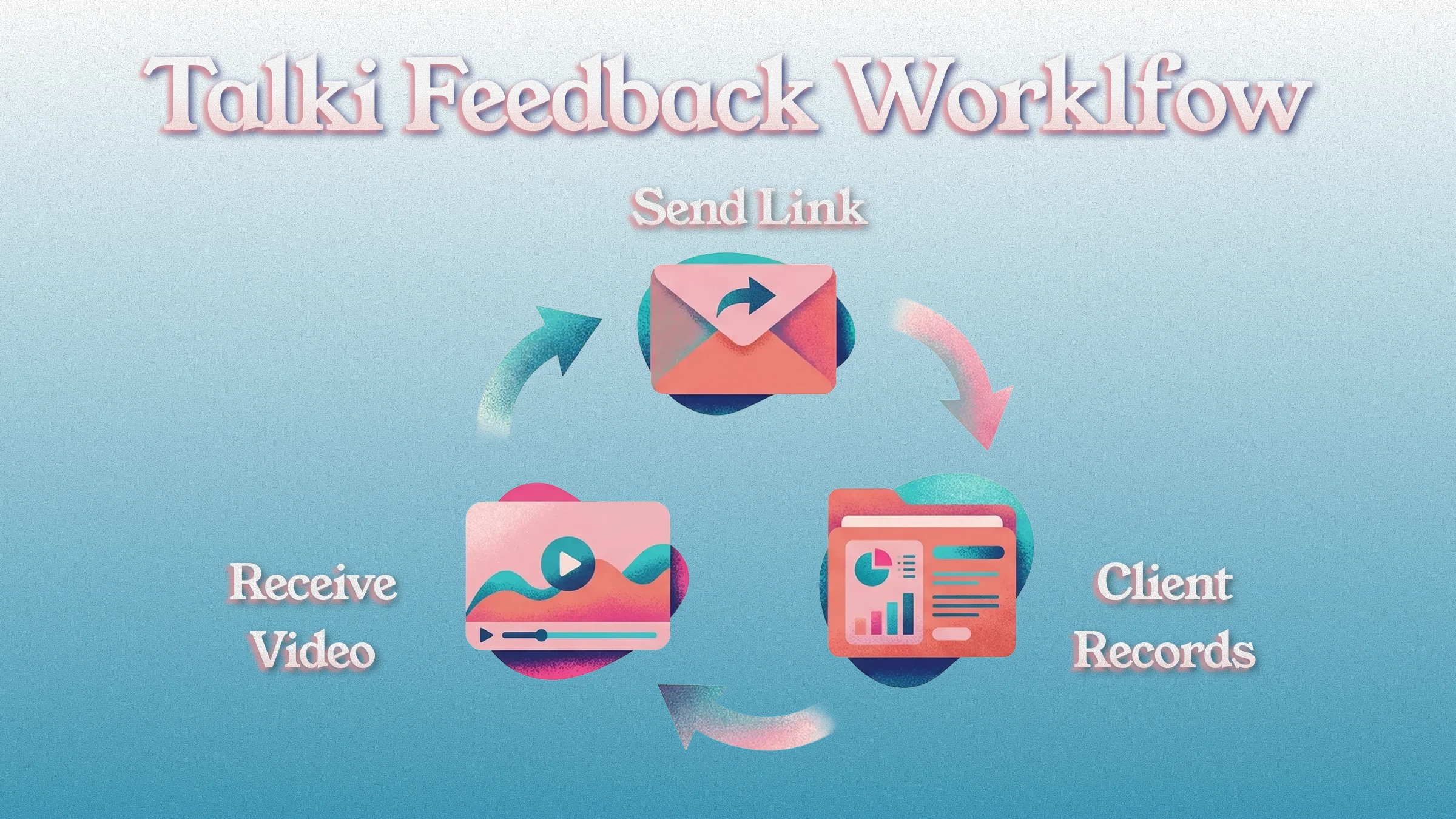
Typical flow:
Send feedback request link via email
Client clicks, records their screen showing the issues
You get a video of them literally pointing at problems
No call needed
The zero-friction approach means you actually get the feedback instead of vague written comments or no response at all.
Looking for more design-specific feedback tools? Check out our comparison of the 7 best design feedback tools for getting clear visual input from clients.
"I need UX design feedback through user testing"
Use Talki or Maze. Both let you collect video from users asynchronously without requiring them to join a scheduled session.
For unstructured "show me how you use this" feedback where users walk through their experience: Talki
For guided questions with specific tasks and quantitative metrics alongside video: Maze
If you have enterprise budgets and want professional participants: UserTesting
User testing is just one method for collecting customer feedback. Discover 6 other methods beyond surveys for comprehensive insights.
"I need my development team to report bugs visually"
Use Marker.io or Jam.dev. These are built for the bug reporting workflow with website annotation, automatic context capture (console logs, device info), and project management integrations.
Marker.io works best when everyone installs the extension for full annotating capabilities.
Jam.dev offers the lowest friction—anyone can submit a bug via a simple link, even without the extension.
"I need to send polished video updates to stakeholders"
Use Loom or Tella. When you're the one recording and the goal is a polished presentation or update, these tools have better editing and delivery features.
For quick, casual updates: Loom
For more polished videos with editing control: Tella
For maximum production value on Mac: Screen Studio
"I need video responses from customers for testimonials"
Use VideoAsk or Talki. Both make it easy to request and collect video without friction.
VideoAsk adds structured questions and branching logic—useful if you want to guide customers through specific talking points.
Talki is simpler for open-ended "tell us about your experience" responses where you just want authentic testimonials without complexity.
"I need feedback on website design specifically"
Use Talki for general website feedback where clients walk through the site and explain what works or doesn't.
Use Marker.io for annotated website feedback if you need clients to mark up specific elements with comments tied to exact locations on the page.
Both work well for collecting website design feedback—Talki for exploratory feedback, Marker.io for precise annotation.
The Real Cost of Friction
A client who would take 3 minutes to record helpful feedback won't take 10 minutes to create an account, install an extension, and figure out a new interface just to help you.
The statistics prove it:
72% of users abandon apps during onboarding if there are too many steps
Each additional form field drops completion by 5-7%
75% of new users abandon a product within one week due to poor onboarding
89% of consumers will switch to a competitor after a single poor experience
The result: they send a vague email instead. Or they don't respond at all. Or you end up on another call that should have been unnecessary.
Video feedback tools aren't competing on features alone—they're competing on whether feedback actually gets collected. A tool with half the features but zero friction beats a full-featured tool that your clients won't use.
Consider this: if 60% of your clients would record helpful video feedback with a zero-friction tool, but only 10% will do it with a tool requiring account creation and installation, the "better featured" tool delivers 80% less actual feedback.
FAQ
What is a video feedback tool?
A video feedback tool is a platform that enables people to give feedback in video format rather than written text. It captures the person's screen, voice, and optionally their face to provide richer context than text alone. The best video feedback tools make it easy for respondents to record and submit feedback without technical barriers.
Learn more about different types of feedback collection tools and when to use each.
How do I collect video feedback from users or customers?
The easiest way is to use a dedicated video feedback tool that generates a shareable link. You send the link, they click "record" in their browser (no app download needed), and their video feedback is automatically saved for you to review. This removes technical barriers so anyone can submit feedback with a couple of clicks.
Can I use Loom to collect video feedback?
You can, but your clients would need their own Loom accounts and the browser extension to record a reply. For one-off feedback from external clients, that's often too much friction. Research shows account creation requirements cause 50-60% drop-off in response rates. Loom is excellent for sending videos, but not optimized for collecting them from people who don't already have accounts.
What's the difference between video feedback tools and screen recording software?
Most screen recorders (like Camtasia, OBS, Screen Studio) are designed for you to record and share polished content. Video feedback tools are designed for you to request and collect videos from others. The key difference is who needs to do the setup—if it's the person giving feedback, friction kills response rates. Screen recording software is for creating tutorials and demos; feedback tools are for collecting responses from clients and users.
Is video feedback better than written feedback?
For anything visual or experiential, yes. Written feedback requires people to translate what they see and feel into words—which is difficult and loses information. Video lets them point and say "this right here." Research shows video feedback is rated significantly clearer, more detailed, and more useful than written feedback. It's also faster: people speak 120-150 words per minute but type only 40 words per minute.
What are the best design feedback tools for agencies?
For agencies collecting client feedback, prioritize tools with zero friction for clients: Talki (click link, record, done), VideoAsk (structured questions), or Marker.io (website annotation). Avoid tools that require clients to create accounts or install software—each friction point loses 50%+ of potential respondents.
How do I get non-technical clients to record their screen?
Use a tool that requires nothing from them. If they have to figure out new software, they'll default to typing vague emails instead. The tool should open ready to record the moment they click your link. Research shows 72% of users abandon apps that require too many steps during onboarding—your clients won't push through friction just to help you.
Are there free video feedback tool options?
Yes. Talki offers a free tier for collecting feedback. Jam.dev has a free plan (up to 30 reports/month). Maze offers a free plan with limited projects. Loom and Vidyard have free tiers, though they're better for sending than collecting due to account requirements. For video feedback tool free options, focus on whether the free tier works for your collection use case—many free plans limit the number of responses or videos you can collect.
What is asynchronous user testing?
Asynchronous user testing (also called unmoderated usability testing) is remote testing where the participant and researcher are not live together. Users complete test tasks on their own time, and their interactions are recorded via video, screen capture, or logs for the researcher to review later. It's efficient because you don't need to schedule meetings, but you can't ask follow-up questions in real-time. Many user testing platforms like Maze and UserTesting specialize in async testing.
Why is reducing user friction important in tool adoption?
High friction during onboarding or tool usage leads to users giving up. Studies show 75% of new users may abandon a product in the first week if onboarding is poor. Each unnecessary step drops conversion—asking for too much information upfront causes significant sign-up abandonment. Conversely, companies with the best (lowest-friction) onboarding see 2.5× higher customer lifetime value than those with poor onboarding. Minimizing friction directly improves adoption rates and user satisfaction.
Stop Translating, Start Watching
Written feedback is a translation—your client turns a visual experience into words, you turn those words back into understanding. Every translation loses information.
Video feedback removes the translation entirely. They show you. You see exactly what they mean. No more "make it pop." No more 30-minute clarification calls for 10-second answers.
The best design feedback tools make this effortless for everyone involved. The question isn't whether video feedback is better—it's whether your clients will actually use your tool to provide it.
→ Try Talki free and get your first video feedback without the friction.