"/><stop offset="1" stop-color="rgb(255, 100, 165)"/></linearGradient></defs><g d="M 0 0 L 60 0 L 60 60 L 0 60 Z M 9 60 C 4.029 60 0 55.971 0 51 L 0 9 C 0 4.029 4.029 0 9 0 L 51 0 C 55.971 0 60 4.029 60 9 L 60 51 C 60 55.971 55.971 60 51 60 Z M 42.974 11.215 C 43.145 11.215 43.331 11.198 43.535 11.164 C 43.773 11.096 44.011 10.942 44.249 10.704 C 44.385 10.568 44.538 10.5 44.708 10.5 C 44.98 10.5 45.184 10.653 45.319 10.959 L 49.347 18.412 C 49.449 18.616 49.5 18.77 49.5 18.872 C 49.5 19.144 49.364 19.348 49.092 19.484 L 46.951 20.658 C 46.747 20.76 46.577 20.811 46.441 20.811 C 46.237 20.811 46.05 20.658 45.88 20.352 L 45.727 20.046 C 44.878 18.344 43.654 17.136 42.057 16.422 C 40.46 15.707 38.624 15.349 36.551 15.349 L 34.053 15.349 L 34.053 41.588 C 34.053 42.949 34.308 44.106 34.818 45.059 C 35.327 45.978 36.228 46.437 37.519 46.437 L 37.876 46.437 C 38.386 46.437 38.641 46.692 38.641 47.203 L 38.641 48.734 C 38.641 49.245 38.386 49.5 37.876 49.5 L 22.174 49.5 C 21.664 49.5 21.41 49.245 21.41 48.734 L 21.41 47.203 C 21.41 46.692 21.665 46.437 22.175 46.437 L 22.481 46.437 C 23.772 46.437 24.673 45.978 25.182 45.059 C 25.692 44.106 25.947 42.949 25.947 41.588 L 25.947 15.349 L 23.449 15.349 C 21.376 15.349 19.541 15.707 17.943 16.421 C 16.346 17.136 15.122 18.344 14.273 20.046 L 14.12 20.352 C 13.95 20.658 13.763 20.812 13.559 20.812 C 13.423 20.812 13.253 20.761 13.049 20.659 L 10.908 19.484 C 10.636 19.348 10.5 19.144 10.5 18.872 C 10.5 18.77 10.551 18.616 10.653 18.412 L 14.68 10.959 C 14.85 10.653 15.054 10.5 15.292 10.5 C 15.462 10.5 15.615 10.568 15.751 10.704 C 15.989 10.943 16.21 11.096 16.414 11.164 C 16.651 11.197 16.855 11.215 17.026 11.215 Z" fill="transparent" height="60px" id="wnIU_RgRP" width="60px"><path d="M 0 0 L 60 0 L 60 60 L 0 60 Z" fill="transparent" height="60px" id="g9vASv_I0" width="60px"/><path d="M 9 60 C 4.029 60 0 55.971 0 51 L 0 9 C 0 4.029 4.029 0 9 0 L 51 0 C 55.971 0 60 4.029 60 9 L 60 51 C 60 55.971 55.971 60 51 60 Z" fill="rgb(254, 254, 254)" height="60px" id="Zi9UWh_Wu" width="60px"/><g d="M 32.474 0.715 C 32.645 0.715 32.831 0.698 33.035 0.664 C 33.273 0.596 33.511 0.442 33.749 0.204 C 33.885 0.068 34.038 0 34.208 0 C 34.48 0 34.684 0.153 34.819 0.459 L 38.847 7.912 C 38.949 8.116 39 8.27 39 8.372 C 39 8.644 38.864 8.848 38.592 8.984 L 36.451 10.158 C 36.247 10.26 36.077 10.311 35.941 10.311 C 35.737 10.311 35.55 10.158 35.38 9.852 L 35.227 9.546 C 34.378 7.844 33.154 6.636 31.557 5.922 C 29.96 5.207 28.124 4.849 26.051 4.849 L 23.553 4.849 L 23.553 31.088 C 23.553 32.449 23.808 33.606 24.318 34.559 C 24.827 35.478 25.728 35.937 27.019 35.937 L 27.376 35.937 C 27.886 35.937 28.141 36.192 28.141 36.703 L 28.141 38.234 C 28.141 38.745 27.886 39 27.376 39 L 11.674 39 C 11.164 39 10.91 38.745 10.91 38.234 L 10.91 36.703 C 10.91 36.192 11.165 35.937 11.675 35.937 L 11.981 35.937 C 13.272 35.937 14.173 35.478 14.682 34.559 C 15.192 33.606 15.447 32.449 15.447 31.088 L 15.447 4.849 L 12.949 4.849 C 10.876 4.849 9.041 5.207 7.443 5.921 C 5.846 6.636 4.622 7.844 3.773 9.546 L 3.62 9.852 C 3.45 10.158 3.263 10.312 3.059 10.312 C 2.923 10.312 2.753 10.261 2.549 10.159 L 0.408 8.984 C 0.136 8.848 0 8.644 0 8.372 C 0 8.27 0.051 8.116 0.153 7.912 L 4.18 0.459 C 4.35 0.153 4.554 0 4.792 0 C 4.962 0 5.115 0.068 5.251 0.204 C 5.489 0.443 5.71 0.596 5.914 0.664 C 6.151 0.697 6.355 0.715 6.526 0.715 Z" fill="transparent" height="39px" id="sJZgEX_6w" transform="translate(10.5 10.5)" width="39px"><path d="M 32.474 0.715 C 32.645 0.715 32.831 0.698 33.035 0.664 C 33.273 0.596 33.511 0.442 33.749 0.204 C 33.885 0.068 34.038 0 34.208 0 C 34.48 0 34.684 0.153 34.819 0.459 L 38.847 7.912 C 38.949 8.116 39 8.27 39 8.372 C 39 8.644 38.864 8.848 38.592 8.984 L 36.451 10.158 C 36.247 10.26 36.077 10.311 35.941 10.311 C 35.737 10.311 35.55 10.158 35.38 9.852 L 35.227 9.546 C 34.378 7.844 33.154 6.636 31.557 5.922 C 29.96 5.207 28.124 4.849 26.051 4.849 L 23.553 4.849 L 23.553 31.088 C 23.553 32.449 23.808 33.606 24.318 34.559 C 24.827 35.478 25.728 35.937 27.019 35.937 L 27.376 35.937 C 27.886 35.937 28.141 36.192 28.141 36.703 L 28.141 38.234 C 28.141 38.745 27.886 39 27.376 39 L 11.674 39 C 11.164 39 10.91 38.745 10.91 38.234 L 10.91 36.703 C 10.91 36.192 11.165 35.937 11.675 35.937 L 11.981 35.937 C 13.272 35.937 14.173 35.478 14.682 34.559 C 15.192 33.606 15.447 32.449 15.447 31.088 L 15.447 4.849 L 12.949 4.849 C 10.876 4.849 9.041 5.207 7.443 5.921 C 5.846 6.636 4.622 7.844 3.773 9.546 L 3.62 9.852 C 3.45 10.158 3.263 10.312 3.059 10.312 C 2.923 10.312 2.753 10.261 2.549 10.159 L 0.408 8.984 C 0.136 8.848 0 8.644 0 8.372 C 0 8.27 0.051 8.116 0.153 7.912 L 4.18 0.459 C 4.35 0.153 4.554 0 4.792 0 C 4.962 0 5.115 0.068 5.251 0.204 C 5.489 0.443 5.71 0.596 5.914 0.664 C 6.151 0.697 6.355 0.715 6.526 0.715 Z" fill="url(%23KbpzL6PmD-1929859876-linear-gradient)" height="38.999999999999986px" id="KbpzL6PmD" width="39px"/></g></g></svg>)
"/><stop offset="1" stop-color="rgb(255, 100, 165)"/></linearGradient></defs><g d="M 42.974 11.215 C 43.145 11.215 43.331 11.198 43.535 11.164 C 43.773 11.096 44.011 10.942 44.249 10.704 C 44.385 10.568 44.538 10.5 44.708 10.5 C 44.98 10.5 45.184 10.653 45.319 10.959 L 49.347 18.412 C 49.449 18.616 49.5 18.77 49.5 18.872 C 49.5 19.144 49.364 19.348 49.092 19.484 L 46.951 20.658 C 46.747 20.76 46.577 20.811 46.441 20.811 C 46.237 20.811 46.05 20.658 45.88 20.352 L 45.727 20.046 C 44.878 18.344 43.654 17.136 42.057 16.422 C 40.46 15.707 38.624 15.349 36.551 15.349 L 34.053 15.349 L 34.053 41.588 C 34.053 42.949 34.308 44.106 34.818 45.059 C 35.327 45.978 36.228 46.437 37.519 46.437 L 37.876 46.437 C 38.386 46.437 38.641 46.692 38.641 47.203 L 38.641 48.734 C 38.641 49.245 38.386 49.5 37.876 49.5 L 22.174 49.5 C 21.664 49.5 21.41 49.245 21.41 48.734 L 21.41 47.203 C 21.41 46.692 21.665 46.437 22.175 46.437 L 22.481 46.437 C 23.772 46.437 24.673 45.978 25.182 45.059 C 25.692 44.106 25.947 42.949 25.947 41.588 L 25.947 15.349 L 23.449 15.349 C 21.376 15.349 19.541 15.707 17.943 16.421 C 16.346 17.136 15.122 18.344 14.273 20.046 L 14.12 20.352 C 13.95 20.658 13.763 20.812 13.559 20.812 C 13.423 20.812 13.253 20.761 13.049 20.659 L 10.908 19.484 C 10.636 19.348 10.5 19.144 10.5 18.872 C 10.5 18.77 10.551 18.616 10.653 18.412 L 14.68 10.959 C 14.85 10.653 15.054 10.5 15.292 10.5 C 15.462 10.5 15.615 10.568 15.751 10.704 C 15.989 10.943 16.21 11.096 16.414 11.164 C 16.651 11.197 16.855 11.215 17.026 11.215 Z" fill="transparent" height="60px" id="ENy7giQS1" transform="translate(-9 -9)" width="60px"><path d="M 0 0 L 60 0 L 60 60 L 0 60 Z" display="none" fill="transparent" height="60px" id="ESka27RLq" width="60px"/><path d="M 9 60 C 4.029 60 0 55.971 0 51 L 0 9 C 0 4.029 4.029 0 9 0 L 51 0 C 55.971 0 60 4.029 60 9 L 60 51 C 60 55.971 55.971 60 51 60 Z" display="none" fill="rgb(254, 254, 254)" height="60px" id="GxreBo0Hb" width="60px"/><g d="M 32.474 0.715 C 32.645 0.715 32.831 0.698 33.035 0.664 C 33.273 0.596 33.511 0.442 33.749 0.204 C 33.885 0.068 34.038 0 34.208 0 C 34.48 0 34.684 0.153 34.819 0.459 L 38.847 7.912 C 38.949 8.116 39 8.27 39 8.372 C 39 8.644 38.864 8.848 38.592 8.984 L 36.451 10.158 C 36.247 10.26 36.077 10.311 35.941 10.311 C 35.737 10.311 35.55 10.158 35.38 9.852 L 35.227 9.546 C 34.378 7.844 33.154 6.636 31.557 5.922 C 29.96 5.207 28.124 4.849 26.051 4.849 L 23.553 4.849 L 23.553 31.088 C 23.553 32.449 23.808 33.606 24.318 34.559 C 24.827 35.478 25.728 35.937 27.019 35.937 L 27.376 35.937 C 27.886 35.937 28.141 36.192 28.141 36.703 L 28.141 38.234 C 28.141 38.745 27.886 39 27.376 39 L 11.674 39 C 11.164 39 10.91 38.745 10.91 38.234 L 10.91 36.703 C 10.91 36.192 11.165 35.937 11.675 35.937 L 11.981 35.937 C 13.272 35.937 14.173 35.478 14.682 34.559 C 15.192 33.606 15.447 32.449 15.447 31.088 L 15.447 4.849 L 12.949 4.849 C 10.876 4.849 9.041 5.207 7.443 5.921 C 5.846 6.636 4.622 7.844 3.773 9.546 L 3.62 9.852 C 3.45 10.158 3.263 10.312 3.059 10.312 C 2.923 10.312 2.753 10.261 2.549 10.159 L 0.408 8.984 C 0.136 8.848 0 8.644 0 8.372 C 0 8.27 0.051 8.116 0.153 7.912 L 4.18 0.459 C 4.35 0.153 4.554 0 4.792 0 C 4.962 0 5.115 0.068 5.251 0.204 C 5.489 0.443 5.71 0.596 5.914 0.664 C 6.151 0.697 6.355 0.715 6.526 0.715 Z" fill="transparent" height="39px" id="ZZtf7bnpg" transform="translate(10.5 10.5)" width="39px"><path d="M 32.474 0.715 C 32.645 0.715 32.831 0.698 33.035 0.664 C 33.273 0.596 33.511 0.442 33.749 0.204 C 33.885 0.068 34.038 0 34.208 0 C 34.48 0 34.684 0.153 34.819 0.459 L 38.847 7.912 C 38.949 8.116 39 8.27 39 8.372 C 39 8.644 38.864 8.848 38.592 8.984 L 36.451 10.158 C 36.247 10.26 36.077 10.311 35.941 10.311 C 35.737 10.311 35.55 10.158 35.38 9.852 L 35.227 9.546 C 34.378 7.844 33.154 6.636 31.557 5.922 C 29.96 5.207 28.124 4.849 26.051 4.849 L 23.553 4.849 L 23.553 31.088 C 23.553 32.449 23.808 33.606 24.318 34.559 C 24.827 35.478 25.728 35.937 27.019 35.937 L 27.376 35.937 C 27.886 35.937 28.141 36.192 28.141 36.703 L 28.141 38.234 C 28.141 38.745 27.886 39 27.376 39 L 11.674 39 C 11.164 39 10.91 38.745 10.91 38.234 L 10.91 36.703 C 10.91 36.192 11.165 35.937 11.675 35.937 L 11.981 35.937 C 13.272 35.937 14.173 35.478 14.682 34.559 C 15.192 33.606 15.447 32.449 15.447 31.088 L 15.447 4.849 L 12.949 4.849 C 10.876 4.849 9.041 5.207 7.443 5.921 C 5.846 6.636 4.622 7.844 3.773 9.546 L 3.62 9.852 C 3.45 10.158 3.263 10.312 3.059 10.312 C 2.923 10.312 2.753 10.261 2.549 10.159 L 0.408 8.984 C 0.136 8.848 0 8.644 0 8.372 C 0 8.27 0.051 8.116 0.153 7.912 L 4.18 0.459 C 4.35 0.153 4.554 0 4.792 0 C 4.962 0 5.115 0.068 5.251 0.204 C 5.489 0.443 5.71 0.596 5.914 0.664 C 6.151 0.697 6.355 0.715 6.526 0.715 Z" fill="url(%23r4oRpS1Kd-703919304-linear-gradient)" height="38.999999999999986px" id="r4oRpS1Kd" width="39px"/></g></g></svg>)
Client Feedback Software for Agencies Who Want to Skip the Revision Spiral
Compare client feedback software for creative teams. Find tools that capture visual feedback clearly—and finally eliminate "make it pop" revision requests.

Jon Sorrentino
Talki Co-Founder
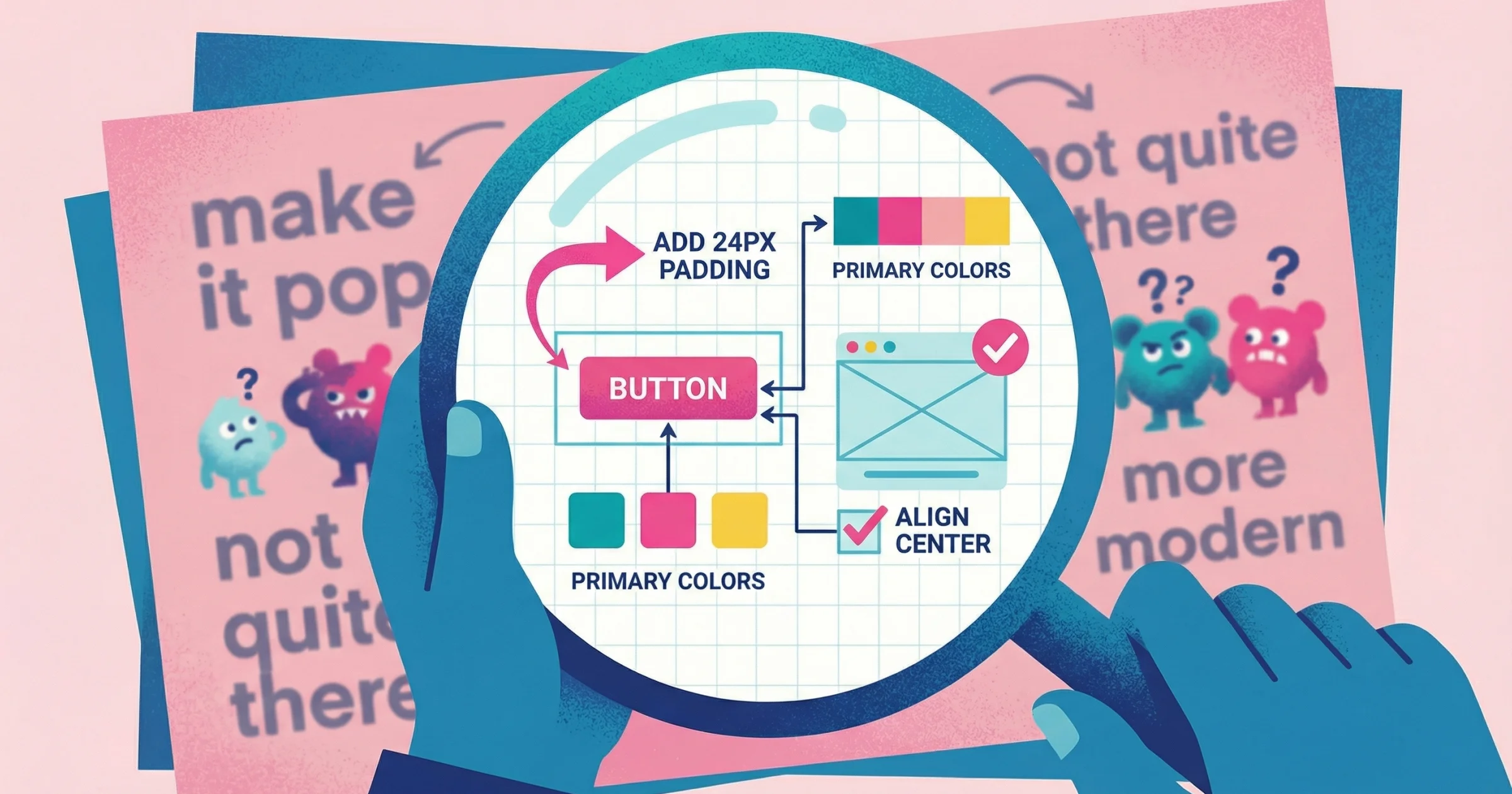
Every agency has a feedback horror story. The client who couldn't explain what they wanted. The project that went six rounds because "it's just not quite right." The stakeholder who derailed everything in the final review.
Client feedback software promises to fix this. But most tools only solve half the problem—they help you send work, not understand reactions. The right software captures what clients actually mean, not just what they manage to type.
What Client Feedback Software Actually Does
At its core, client feedback software creates a structured way to share work and collect responses. But capabilities vary significantly:
Basic functionality:
Share designs, documents, or deliverables via link
Collect comments and annotations
Track versions and approval status
Advanced features:
Visual markup and annotation directly on designs
Video feedback and screen recordings
Stakeholder management and consolidated feedback
Approval workflows and audit trails
The question isn't whether you need feedback software—it's whether your current setup captures clear feedback or just more feedback.
Types of Client Feedback Tools (And What They're Best For)
Client feedback software falls into distinct categories. Understanding the differences helps you pick the right tool for your workflow.
Project Management Platforms with Feedback Features
Examples: Asana, Monday, Basecamp, ClickUp
What they do: General project management with commenting, file sharing, and approval features bolted on.
Best for: Teams that want everything in one place and primarily need written feedback with basic threading.
Limitations: Feedback is treated as a project management task, not a communication medium. No visual annotation. Clients need accounts and onboarding.
Design-Specific Review Tools
Examples: Figma comments, InVision, Zeplin, Markup.io
What they do: Let reviewers click directly on designs to leave contextual comments. Purpose-built for visual work.
Best for: Design teams doing frequent internal reviews. Works well when reviewers are design-literate.
Limitations: Most require accounts. Clients unfamiliar with design tools may struggle with the interface. Still relies on written feedback to communicate visual preferences.
Proofing and Approval Platforms
Examples: ProofHub, Ziflow, ReviewStudio, Filestage
What they do: Formal approval workflows with versioning, annotation, and stakeholder management. Often built for regulated industries or high-volume production.
Best for: Agencies with complex approval chains, legal/compliance requirements, or high-volume asset production.
Limitations: Can feel heavy for simple projects. Setup and onboarding overhead. Designed for process management, not communication clarity.
Video Feedback Tools
Examples: Loom, Vidyard, Talki
What they do: Let people record screen walkthroughs narrating their reactions instead of typing comments.
Best for: Creative work where "show don't tell" matters most. Eliminates interpretation problems that plague written feedback.
Key distinction:
Broadcasting tools (Loom, Vidyard): Designed for you to send videos to clients. Recipients need accounts to record responses.
Collection tools (Talki): Designed for clients to send videos back to you. Recipients record without accounts or downloads.
Limitations: Some clients are camera-shy. Not ideal for tracking formal approvals across many stakeholders.
Client Feedback Software Comparison
Tool | Best For | Visual Annotation | Video Feedback | Client Account Required | Starting Price |
|---|---|---|---|---|---|
Figma | Design teams | Yes (on designs) | No | Yes | Free (limited) |
InVision | Prototypes | Yes | No | Yes | $15/mo |
Markup.io | Web review | Yes | No | No | $49/mo |
Filestage | Approval workflows | Yes | No | Yes | $49/mo |
Loom | Sending updates | No | Yes (sending) | Yes (to record) | Free (limited) |
Talki | Collecting feedback | No | Yes (receiving) | No | Free tier available |
What to Look for in Client Feedback Software
The best tool depends on your workflow, but these criteria matter for most creative teams:
1. Friction for Clients
Every click, account creation, or download is a barrier. The easier you make it to give feedback, the more likely clients do it—and do it well.
Questions to ask:
Can clients give feedback without creating an account?
Do they need to download anything?
Is the interface obvious to non-technical users?
2. Communication Clarity
Written comments work for some feedback. But visual work often needs visual feedback.
Questions to ask:
Can clients show you what they mean, not just describe it?
Does the tool support video walkthroughs?
Can reviewers annotate directly on designs?
3. Workflow Integration
Feedback software that doesn't connect to your existing tools creates more work, not less.
Questions to ask:
Does it integrate with your project management platform?
Can you export or share feedback easily?
Does it fit into your existing client communication patterns?
4. Stakeholder Management
Many projects involve multiple reviewers with different opinions. Good software helps consolidate.
Questions to ask:
Can you control who sees what versions?
Does it help identify conflicting feedback?
Can clients share review links with their internal stakeholders?
The "Show Don't Tell" Gap in Most Software
Here's what most client feedback software gets wrong: they optimize for collecting comments without solving clarity of communication.
You end up with:
More comments, but still vague
Annotation points, but "I don't like this area" without explanation
Approval workflows, but changes requested that you don't understand
The missing piece is letting clients show their reactions instead of describing them. A client pointing at their screen saying "this whole section feels too busy, especially here and here" communicates more than a dozen written comments.
Video feedback tools solve this. But most video tools (like Loom) are designed for broadcasting—you send, they watch. For collecting feedback, you need the flow reversed: they record, you watch.
This is where client friction matters most. If recording a response requires your client to create an account or download software, they'll default to typing a vague email instead.
How to Choose: A Decision Framework
Start with your biggest feedback problem:
If your main problem is... | Prioritize... |
|---|---|
Clients can't explain what they want | Video feedback (collection-focused) |
Feedback scattered across email, Slack, calls | Centralized proofing platform |
Multiple stakeholders with conflicting opinions | Approval workflows with consolidation |
Comments lack context (which element? which version?) | Visual annotation tools |
Clients won't adopt new tools | Zero-friction options (no accounts required) |
Then consider your constraints:
Budget: Free tools exist but often limit features. Paid tools range from $15-200+/month.
Team size: Solo freelancers have different needs than 20-person agencies.
Client technical comfort: Some clients will never adopt complex tools.
Project volume: High-volume teams need automation; occasional projects don't.
Setting Up Client Feedback Software for Success
The tool matters less than how you implement it. Common mistakes:
Mistake 1: Making it optional
If clients can still email feedback, they will. Make your feedback software the only path for revisions.
Fix: "To make sure nothing gets lost, please leave all feedback using this link: [link]. I won't be able to action requests sent via email."
Mistake 2: Not explaining why
Clients don't care about your process—they care about outcomes. Frame the tool as benefiting them.
Fix: "I use [tool] because it helps me understand exactly what you're looking for. It usually cuts our revision rounds in half because I can see precisely what you mean."
Mistake 3: Overcomplicating setup
Every additional step loses clients. Start simple, add complexity only if needed.
Fix: Send a single link. Let them click and respond. Save the workflow features for your internal process.
FAQ
What is the best software for client feedback?
It depends on your primary challenge. For visual clarity, video feedback tools like Talki excel. For complex approval chains, try Filestage or Ziflow. For design-specific annotation, Markup.io or Figma's built-in comments work well.
How do you capture client feedback effectively?
Make showing easier than telling. Video walkthroughs where clients narrate their screen capture more nuance than written comments. Whichever tool you use, minimize the steps required to give feedback.
Do clients need accounts to use feedback software?
Some tools require accounts, others don't. For client-facing feedback collection, no-account options dramatically improve response rates. Clients are more likely to record a quick video than create yet another login.
Is free client feedback software worth using?
Free tiers work for testing or low-volume work. Limitations usually appear in storage, features, or branding. For professional client work, paid tools typically pay for themselves in reduced revision rounds.
The Real ROI of Better Feedback Tools
Client feedback software costs $20-100/month for most agencies. A single avoided revision round saves 2-4 hours of work.
The math isn't complicated: if better feedback tools eliminate one unnecessary revision per month, they've paid for themselves several times over. The less quantifiable benefit—clients who feel heard, projects that stay on track, creative work you're proud of—compounds from there.